
AI on WhatsApp: Faster Replies, Same Human
Everyone wants WhatsApp AI automation right now. Replies in seconds. At midnight. Without hiring anybody.
I understand the appeal. I use AI every single day, and I'm not about to pretend otherwise.
But WhatsApp isn't email. It's the kitchen table. It's where people talk to their partner, their mum, their best friend and the school group that never stops buzzing. When a business gets invited in there, it's a guest.
And a guest who sends a robot in their place, dressed up as themselves, doesn't get invited back.
The answer isn't to avoid AI. It's to use it for the parts of a conversation that should be fast, and keep a real person for the parts that should be human.
Faster replies. Same human. That's the whole idea.
Two fast replies on WhatsApp, only one of them good
Picture this. It's twenty to ten on a Tuesday night. Someone messages a dental practice on WhatsApp.
"Hi, do you do emergency appointments? Cracked a tooth at dinner."
Here's the first reply, about thirty seconds later. It's an example, but you'll have seen something like it.
"Hi there! Thank you so much for reaching out! I'm Sophie, and I'd absolutely love to help you today! At our practice we offer a wide range of emergency dental services tailored to your unique needs..."
Three paragraphs. A link to the services page. No answer to the question.
She replies: "Sorry, is this a real person?"
Sophie says she's "here to help!" and sends the services link again.
Nobody messages her the next morning. By lunchtime she's in another practice's chair.
Now here's the second reply, also about thirty seconds later.
"Thanks for your message. This is an automatic reply: the practice is closed for the night. If you're in severe pain or there's swelling, please call [out-of-hours number]. Otherwise, you can book the first emergency slot tomorrow here: [link]. Someone from the team will message you personally at 8am."
At 8.02 the next morning, a real person called Ciara sends: "Morning, it's Ciara from the practice. How's the tooth? I can see you booked 9.15, is that still OK for you?"
Both replies were fast. Both were automated. Only one of them was honest.
That's WhatsApp AI automation in one picture. The technology wasn't the difference. The thinking behind it was.
Speed genuinely matters
I don't want anyone to read this and decide that speed is overrated. It isn't.
Dr James Oldroyd's Lead Response Management study, as reported by InsideSales, found that the odds of a lead becoming qualified were 21 times greater when contacted within five minutes than at 30 minutes.
And this is where people already are. Meta says 1 billion people message a business each week across its apps. Messaging a business is now as normal as ringing one used to be. Probably more normal, if you've got teenagers in the house who treat a phone call like a medical emergency.
So the pressure to reply quickly is real. The question is what you reply with.
Speed to lead on WhatsApp has its own article. This one is about handing some of that speed to a machine.
Why WhatsApp AI automation is so tempting
There are three temptations with AI on WhatsApp. One of them is great. Two of them will hurt you.
Temptation one: never miss anything. Every message acknowledged, sorted, routed, and in front of the right person. That's the good one. Keep it.
Temptation two: replace the person. Let the bot handle the whole conversation, start to finish, so nobody on the team ever has to look at WhatsApp again. That one hurts.
Temptation three: reach everyone. Now that a machine can write and send, why not message the whole list? Every old lead, every past customer, every number you've ever collected. That one hurts the most, and it can cost you the number itself.
Most people start with "What can this tool do?" That's the wrong question. The right one is "What problem in my business will this solve?"
A thinking problem dressed up as a technology problem
Most businesses don't have a technology problem. They have a thinking problem.
If your replies are slow because nobody owns WhatsApp, AI won't fix that. It'll just hide it for a while.
If your replies are bad because nobody's ever decided what a good reply looks like, AI won't fix that either. It'll send bad replies faster, and more of them.
Technology is leverage, not strategy. Leverage multiplies whatever is underneath it.
Put AI behind a business that already cares about getting back to people properly, and it makes that business quicker and more consistent. Put it behind a business that doesn't, and it becomes a very efficient way of disappointing people at scale.
If you multiply zero by a thousand, you've still got zero.
And watch out for the Rusher in all of us. Switch on the first AI reply you find on a Friday afternoon, go to the pub, and by Monday it's told three customers the wrong opening hours and offered a discount nobody approved.
What WhatsApp's own rules say about automation and AI
Before we get into what AI should do, let's be clear on what WhatsApp allows. Your number, and your reputation, depend on this.
I'm going to quote the rules directly, because paraphrasing them is how people end up in trouble.
Only people who asked to hear from you
The WhatsApp Business Messaging Policy says you may only contact people on WhatsApp if "(a) they have given you their mobile phone number or username and (b) you have received opt-in permission from the recipient confirming that they wish to receive subsequent messages" from you.
It also says you "must respect all requests (either on or off WhatsApp) by a person to block, discontinue, or otherwise opt out".
So AI doesn't change who you're allowed to talk to. If someone hasn't given you their number and agreed to hear from you, no amount of clever personalisation makes it OK. There's more on earning that permission in the opt-in article in this series.
No bulk messaging, no auto-messaging
The WhatsApp Terms of Service forbid "sending illegal or impermissible communications such as bulk messaging, auto-messaging, auto-dialing, and the like."
Read that again, slowly, if you were planning to use AI to "reactivate" five thousand old leads this weekend.
And the policy is clear about what happens when things go wrong: "If content or actions violate our terms or policies, we may limit or remove your access to our services."
In plain English: numbers that spam get restricted or banned. That's WhatsApp's call, not yours, and not your software's.
No tool makes a number ban-proof. Not ours. Not anybody's. If someone tells you theirs does, I'd ask them, politely, how they know.
Automation is allowed, with a human close by
Here's the part people miss. The Business Messaging Policy doesn't say "no automation". It allows automation when you're responding to people during the 24-hour window after they've messaged you.
But it adds a condition. Businesses "must also have available prompt, clear, and direct escalation paths" such as transfer to a human agent.
So respond quickly, by all means. But a real person needs to be reachable, and reachable promptly.
The handover isn't a nice extra. It's part of the deal.
What the AI terms actually say
In January 2026, WhatsApp updated its Business Solution Terms. Providers of AI technologies are prohibited from using the WhatsApp Business Solution to offer AI "when such technologies are the primary (rather than incidental or ancillary) functionality".
As I read it, a general-purpose AI chatbot offered as the product is out. A business that uses AI to help with its own customer service is a different thing. The AI is there to support the plumbing business, the clinic or the agency, not to be the thing being sold.
It's a good test for any business, whether the terms apply to you or not. Is AI helping you serve your customers? Or have you quietly turned your customer service into an AI product with your logo on it?
Larger businesses often use the WhatsApp Business Platform, the official API route with approved templates and per-message pricing. Whichever way you're connected, the principles are the same. Permission first. A human within reach.
Four jobs AI does well on WhatsApp
Right. Here's where AI and automation genuinely earn their place. I'd sum it up like this: automate the waiting, not the caring.
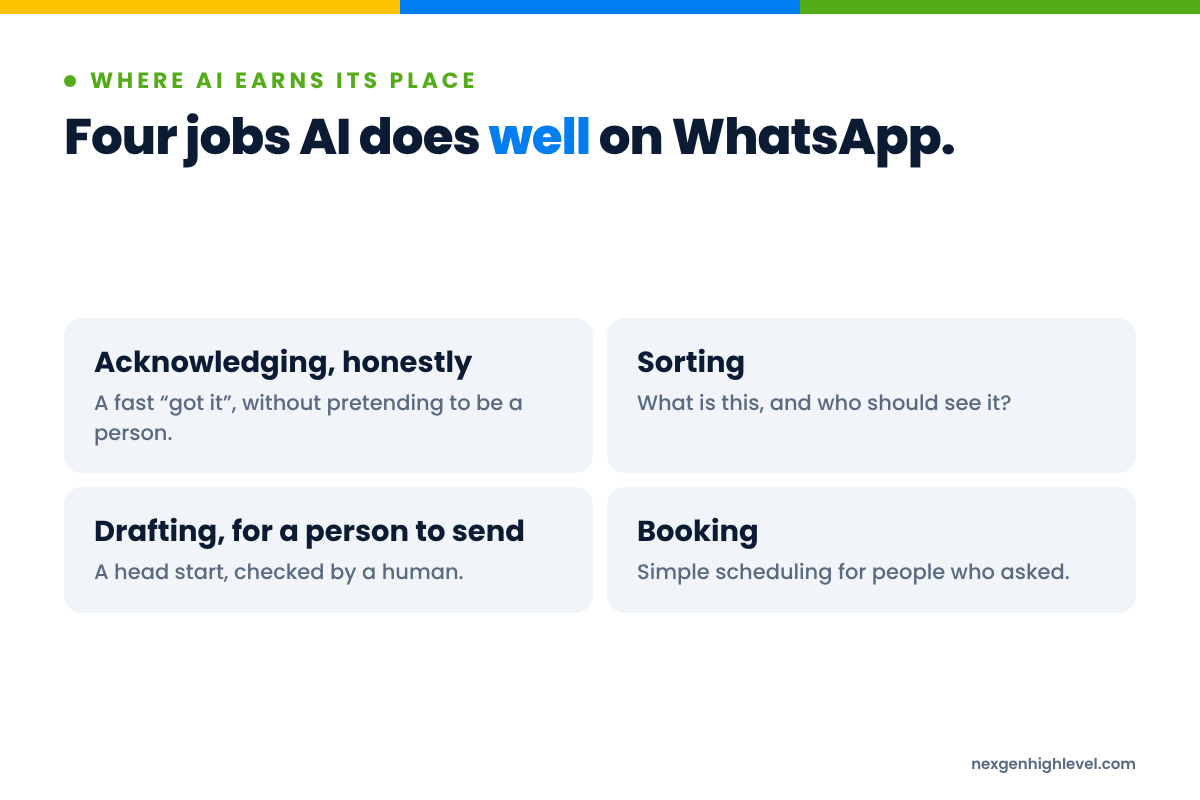
1. Acknowledging, honestly
The worst reply on WhatsApp isn't a bad one. It's no reply at all. Two grey ticks, then silence, while the person wonders whether you got it, whether you're open, whether you care.
An honest automatic acknowledgement fixes that. Something like this, as an example:
"Thanks for getting in touch. This is an automatic reply so you know we've got your message. Someone from the team will reply personally within the hour (we're open 8 to 6, Monday to Friday)."
Notice what it does:
- It says it's automatic. No pretending.
- It sets an expectation the business can actually keep.
- It tells the person what happens next and when.
It doesn't call itself Sophie, and it doesn't send three paragraphs.
An acknowledgement buys you time. It doesn't buy you the relationship.
And then, and this is the bit that matters, a person actually replies within the hour. If you promise "within the hour" and reply on Thursday, the automation has just made you look worse, not better.
2. Sorting
This is the quiet, unglamorous job where AI is at its most useful.
Every WhatsApp message that arrives is a little bundle of questions. Who is this? Are they new or existing? What do they want? Is it urgent? Is it a sale, a booking, a complaint, a question about an invoice? Who on the team should see it?
Answering those by hand, all day, is work people hate and get wrong when they're busy. AI can help sort it:
- Intent. New enquiry, booking, change of appointment, complaint, billing, general question.
- Urgency. "My boiler's leaking" is not the same as "Do you service boilers?"
- Value. A question about your biggest service might need your best person.
- Ownership. Which person, team or location should pick it up.
Then automation does the rest. Tag the contact. Update a field. Assign the conversation. Alert the right person.
The customer just notices that the right person got back to them quickly, already knowing what they asked.
That's the best kind of AI on WhatsApp: the kind your customer never notices.
3. Drafting, for a person to send
This one is underrated.
Instead of AI sending the reply, AI suggests the reply. A person reads it, fixes the bit that's wrong, adds the bit only they know, and sends it.
I work like this every day. AI drafts. I check. It still sounds like me, because I'm the last pair of eyes before anything goes out. AI doesn't replace humans. It speeds up the process. But copy still needs checking. Every time.
For WhatsApp, drafting is brilliant for:
- Answering the same ten questions you get every week, but in a way that fits this person.
- Summarising a long thread so the person picking it up doesn't have to scroll back through three weeks of messages.
- Turning a rambling voice note from a customer into three bullet points and a suggested reply.
The customer gets a fast, accurate, human reply. Your team gets their evenings back. And nobody is pretending to be anybody.
4. Booking
If the next step in a conversation is "book a time", there's no reason to make someone wait for a human to send a link.
An automated reply can offer the booking link the moment someone asks. The calendar sends the confirmation and the reminders. That's automation doing what it's good at: the predictable, repetitive bits.
And reminders genuinely make a difference. A Cochrane review of mobile phone message reminders found that text reminders improved attendance compared with no reminders: 67.8% attendance with no reminders and 78.6% with text reminders, based on moderate-quality evidence from seven studies.
I spent years watching clinics struggle with no-shows and cancellations. They'd been stuck on one channel, usually Facebook Ads. A lot of the fix was never more ads. It was what happened after someone booked.
But here's the line. Booking is automated. The person who replies "Actually, I'm really nervous about this procedure" is not a booking problem. That's a human problem, and it needs a human.
Where AI hurts on WhatsApp: three lines not to cross
Now for the other side. These are the places where AI doesn't just fail to help. It actively damages the thing WhatsApp is good for, which is trust.
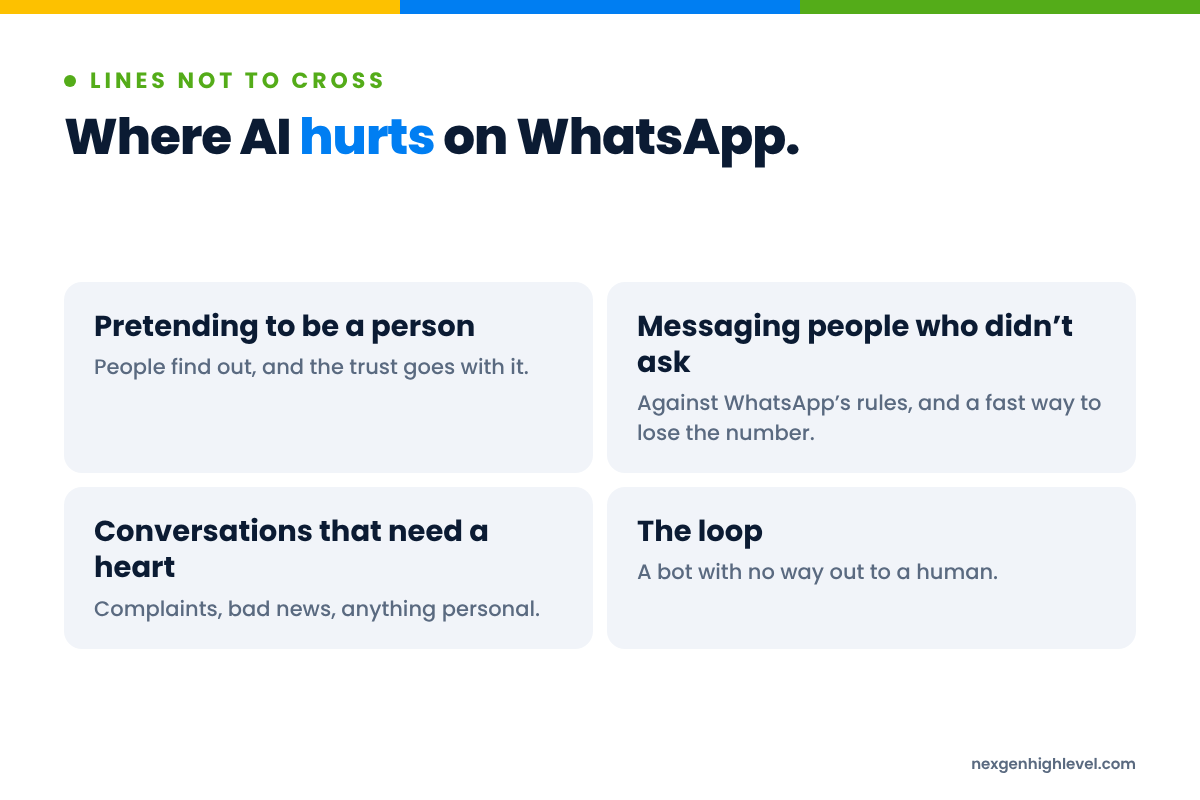
Line one: pretending to be a person
This is the big one.
Giving a bot a human name and a smiley personality, and letting people believe they're chatting to a member of staff, feels clever right up until someone finds out. And they do find out. Usually at the worst possible moment, when the bot confidently gets something wrong and they ask to speak to "Sophie's manager".
It's not a technology mistake. It's a manners mistake.
Think about how it feels. You've poured your heart out about your back pain or your kitchen extension, then realise nobody was there. That's not a "slightly worse customer experience". That's feeling a bit stupid. People don't forgive businesses that make them feel stupid.
So be upfront. "This is an automatic reply." "I'm the practice's virtual assistant, I can help with bookings, or get you to a person." It costs you nothing, and it means that when a real person does step in, the customer trusts them.
People buy from people. They don't buy from people-shaped software.
Line two: messaging people who didn't ask
AI makes it ridiculously easy to write a thousand "personalised" messages. That doesn't make it OK to send them.
If someone hasn't given you their number and agreed to hear from you, they don't want your message, however well written it is. And as we've seen, WhatsApp's terms forbid bulk and auto-messaging outright.
Cold prospecting has a home, and it isn't WhatsApp. It's LinkedIn and email, where reaching out to someone you don't know yet is part of how the room works. I've written about using AI and automation on LinkedIn without losing the human bit, and the same thinking applies there: automate the admin, not the relationship.
WhatsApp is where the relationship continues once someone has said yes. Treat it like a megaphone, and you'll lose the number and the goodwill in one go.
Line three: handling the conversations that need a heart
Some conversations should never be left to a machine:
- A complaint, especially an angry one.
- Bad news, like a cancelled job, a delay or a price change.
- Anything about health, money worries or something personal.
- A long-standing customer who's thinking about leaving.
- Someone who's confused, upset or simply asked for a person.
AI might produce a perfectly reasonable sentence in all of those situations. That isn't the point. The point is that the customer needs to feel a person heard them.
And a sneaky fourth: the loop
You know the one. "Sorry, I didn't understand that. Please choose from the options below." Four times. With no way out.
If someone can't get to a human, you haven't automated customer service. You've automated a locked door.
The handover: escalation is the feature, not the fallback
If you only take one practical thing from this article, take this.
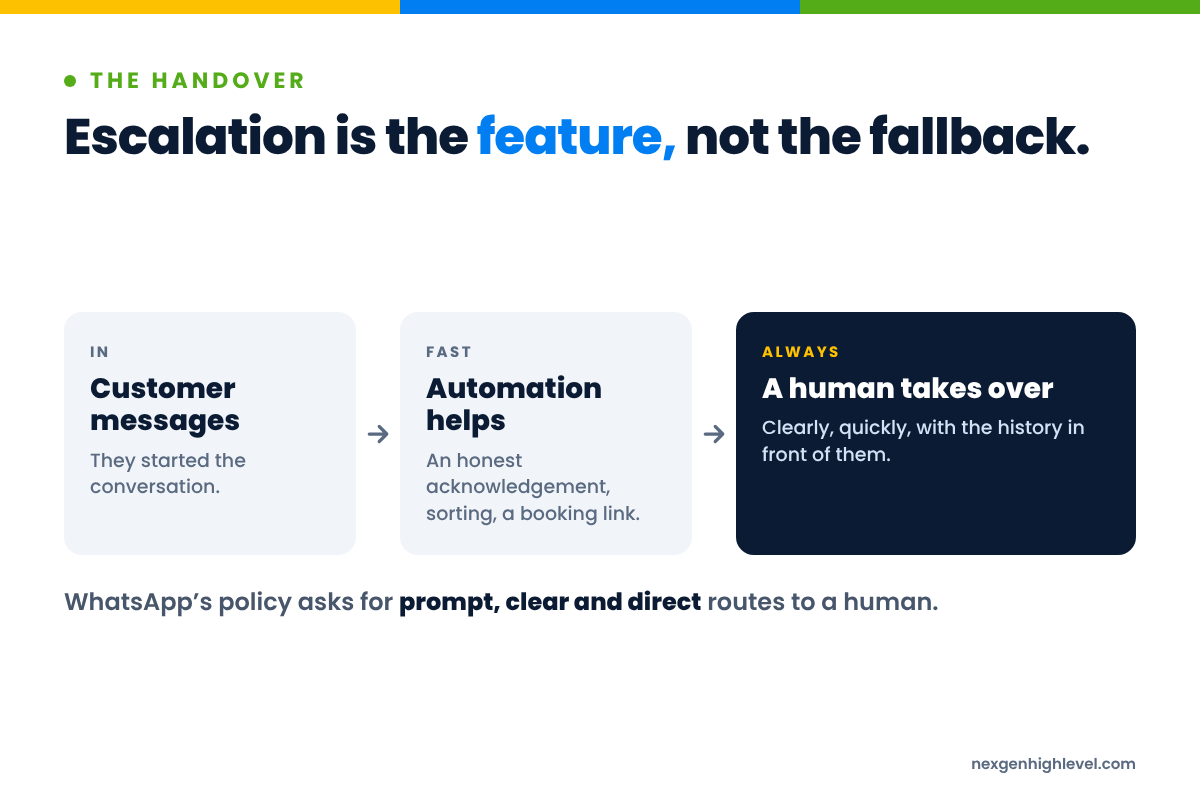
Most people design their WhatsApp automation around what the bot can do. Design it around when the bot should stop.
It's the most important feature you'll build. WhatsApp's own policy requires prompt, clear and direct escalation paths. I'd go further. The quality of your handover is the quality of your customer service.
When should a person take over?
Decide this before you switch anything on. Some sensible triggers:
- They ask. "Can I speak to someone?" "Is this a real person?" Either of those means a person, now.
- They're unhappy. Complaints, frustration, anything that sounds like a problem rather than a question.
- It's sensitive. Health, money, bereavement, anything personal.
- It's valuable. A big job, a big order, a returning customer, a referral from your best client.
- The AI isn't sure. Two attempts without a clear answer is plenty.
What does a good handover look like?
From the customer's side:
- They're told, honestly, that a person is taking over, and roughly when.
- They don't have to repeat themselves.
- The person who replies uses their name and already knows what they asked.
From your team's side:
- The right person is alerted, not "everyone", which in practice means no one.
- They can see the whole conversation, plus what the AI sorted (intent, urgency, any notes).
- There's a clear owner until it's resolved.
- The automation steps back and stays back. Nothing is more awkward than a human and a bot both replying to the same person at the same time.
Questions for your own business
- If a customer asked for a human right now, on WhatsApp, how long would they wait?
- Who would they get? Does that person know they're responsible?
- What happens at 9pm? At the weekend? When that person is on holiday?
- Would the customer have to explain themselves again?
If you can't answer those quickly, don't add more AI yet. Fix the handover first. Walk before you run.
How WhatsApp AI automation fits inside HighLevel
So where does all this live? For us, it's HighLevel. That's where we build, and it's where your WhatsApp conversations belong, rather than scattered across a few phones in a few pockets.
The memory: Contacts, fields and tags
Every person who messages you becomes a Contact, with their history in one place. Custom fields hold what matters: the service they asked about, when they opted in. Tags show where they are: new enquiry, booked, needs a person, complaint.
When AI sorts a message, this is where the sorting lands. Not in someone's head, or on a phone that leaves when they do.
The engine: Workflows
Workflows do the predictable work. A message arrives, and a workflow can acknowledge it honestly, tag the contact, assign the conversation and alert the right person.
Another can send the booking link, and the calendar handles confirmations and reminders. Another can watch for the "I want a person" moment and pull the automation out of the way.
The human bit: Conversations and assignment
HighLevel Conversations puts WhatsApp alongside SMS, email and social messages in one inbox. User roles and assignment mean each conversation has an owner.
That's where your people do the human part: reading, replying, picking up the voice note, sending the message only they could write.
The scoreboard: Opportunities and reporting
Opportunities and pipelines show which WhatsApp conversations turned into real potential business, and what they're worth. Reporting tells you whether all this speed actually made you money.
Because faster replies are lovely. But does it make any money? That's the question.
Where our WhatsApp App comes in
This is exactly why we built the WhatsApp App for HighLevel the way we did. It brings WhatsApp numbers into HighLevel, and gives workflows actions like Send Message, Wait for Reply, Reply To Message, Forward Message and Mark As Read. Workflows can be triggered by messages arriving on a specific connection, from a specific contact or from a specific group.
So "a message arrives, sort it, route it, alert a person, wait for their reply" stops being a whiteboard drawing and becomes something you can build, in HighLevel, with the tools you already use.
It doesn't change WhatsApp's rules. Nothing does. Bulk and auto-messaging are still forbidden, and the people you message still need to have said yes. What it gives you is a place to do the right thing properly.
It's the same thinking that started with our LinkedIn App: we made our app a part of HighLevel, rather than a complement to HighLevel. Because the moment your conversations live in one tool and your automation in another, the handover breaks. And the handover is everything.
If you're not on HighLevel yet, you can create a HighLevel account through NexGenHighLevel. And if you're an agency setting this up for clients, start every build with the handover questions above, before anybody writes a single automated message.
Human, Strategy, Leverage: questions to ask before you switch anything on
My own framework is the order that keeps AI honest. Human. Strategy. Leverage. In that order.
Human: who's on the other end?
Years ago, my agency had a problem with medical clinics. We were technically excellent: ads, funnels, follow-up, CRM. But the doctors and clinicians wouldn't give us content. We'd get nothing, or two stock photos and a 14-second video filmed from six miles away.
They hadn't gone into healthcare to be content creators. Put a camera in front of them and they froze.
So we built an app with prompts that removed the blank page and the fear of the camera. It worked because we finally understood the people. We weren't really solving a content-production problem. We were solving a human-friction problem.
AI on WhatsApp is the same. Start with the person messaging you.
- Why do people message you on WhatsApp rather than call or email?
- What are they usually feeling when they do? Curious? Worried? In pain? In a hurry?
- What would make them feel looked after?
- What would make them feel fobbed off?
Strategy: what should happen, and who should do it?
- Which conversations should be fast and automatic? Which should always be personal?
- What does a good reply look like in your business? Have you ever written it down?
- What's your honest promise on reply times, and can you keep it on a bad week?
- What exactly triggers a handover, and who gets it?
Leverage: only now, the technology
- Which of the four jobs (acknowledging, sorting, drafting, booking) would save the most time this month?
- Can you start with one, run it for six weeks, and look at what happened?
- Who checks what the AI is doing, and how often?
- What will you measure? Not "messages handled". Bookings that showed up. Customers who came back. Revenue.
Six weeks to find out beats six months of planning. Back yourself, start small, look properly at the results.
Don't use technology to avoid understanding people. Use technology because you understand people.
Frequently asked questions
Is it allowed to use AI on WhatsApp for business?
Yes, within the rules. WhatsApp's Business Messaging Policy allows automation when you're responding to people during the 24-hour window, as long as there are prompt, clear and direct ways to reach a human. Its terms also forbid bulk and auto-messaging, and the Business Solution Terms restrict offering AI as the main product. Using AI to help with your own customer service is a different thing. Read the policies yourself, and keep a person close.
Will WhatsApp automation get my number banned?
Spam gets numbers restricted or banned, and WhatsApp decides what counts. Bulk messaging, auto-messaging and contacting people who didn't opt in are the fastest routes there. No tool, ours included, makes a number ban-proof. The safest approach is also the most effective: only message people who asked to hear from you, reply to them quickly and honestly, respect every opt-out, and keep automation mostly behind the scenes.
Should I tell customers they're talking to AI?
Yes. Always. "This is an automatic reply" costs you nothing and protects everything. People don't mind a quick automated acknowledgement or a booking link. What they mind is finding out that "Sophie" was never real after they'd shared something personal. Be upfront, make it easy to reach a person, and the human who steps in starts with trust rather than suspicion. It's not a technology choice. It's manners.
Can AI book appointments through WhatsApp?
It can certainly help. When someone asks to book, an automated reply can send the booking link straight away, and a HighLevel calendar can handle confirmations and reminders. Reminders genuinely help: a Cochrane review found text reminders improved attendance compared with none. But keep a person ready for anything beyond the booking itself, like nerves, questions about price or a change of plans. Automate the diary. Keep the reassurance human.
Can I use AI to message my whole contact list on WhatsApp?
No. WhatsApp's terms forbid bulk messaging and auto-messaging, and the policy only lets you contact people who gave you their number and opted in to hear from you. AI makes it easy to write a thousand messages. It doesn't make it right to send them. If you want to start conversations with people you don't know yet, use LinkedIn and email. WhatsApp is for continuing conversations with people who already said yes.
How does WhatsApp automation work with HighLevel?
With WhatsApp connected to HighLevel, messages land in Conversations alongside SMS, email and social. Workflows can acknowledge, tag, assign and alert. Contacts hold the history, calendars handle bookings and reminders, and pipelines show what turned into business. Your team does the human part from one inbox, with a clear owner for every chat.
Faster replies, same human
Across these articles, I keep coming back to the kitchen table. WhatsApp is personal. You're there because someone invited you in. Everything else follows from that.
AI doesn't change that. It just raises the stakes.
Used well, it means nobody waits in silence, the right person sees the right message, replies are quicker and more accurate, and your team spends their time on the conversations that actually need them.
Used badly, it means a fake Sophie, a locked door and a banned number.
The technology is the same in both cases. The difference is whether you started with the person or the tool.
So acknowledge honestly. Sort quietly. Draft for a human to send. Automate the booking. Hand over the moment it matters, and make that handover the best part of the whole thing.
We'll keep writing about how to make WhatsApp work for your business, and I'm sure AI will keep changing faster than any of us can write about it. The principle won't.
Use AI to reply faster. Never use it to care less.