Last updated:

Whatsapp CT

Manage multiple WhatsApp numbers, groups & chats — inside your CRM. No Meta approval, no fees.

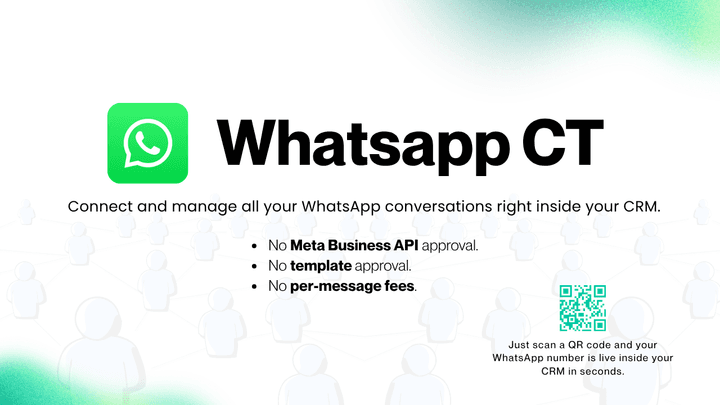
WhatsApp CT — Connect and manage all your WhatsApp conversations right inside your CRM.

  • No Meta Business API approval.
  • No template approval.
  • No per-message fees.

Just scan a QR code and your WhatsApp number is live inside your CRM in seconds. Simple, powerful, and built to save you time — WhatsApp CT lets you handle multiple WhatsApp numbers from one place, so you can chat with customers, manage groups, and set up automations without ever leaving your CRM.

Install App
1 / 10
Whatsapp CT — image 1
Whatsapp CT — image 2
Whatsapp CT — image 3
Whatsapp CT — image 4
Whatsapp CT — image 5
Whatsapp CT — image 6
Whatsapp CT — image 7
Whatsapp CT — image 8
Whatsapp CT — image 9
Whatsapp CT — image 10

About This App

What makes WhatsApp CT different:

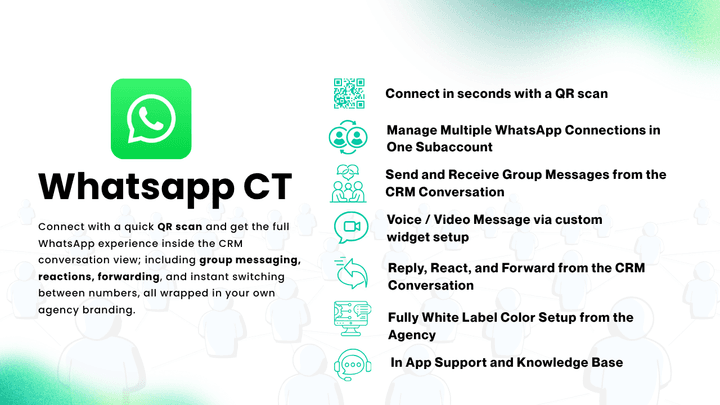
Most WhatsApp integrations stop at one-to-one messaging — and many still force you through days of Meta approval, pre-approved templates, and per-message charges. WhatsApp CT skips all of that. Connect with a quick QR scan and get the full WhatsApp experience inside the CRM conversation view; including group messaging, reactions, forwarding, and instant switching between numbers, all wrapped in your own agency branding.

Key Features:

  1. Connect in seconds with a QR scan: no Meta approval, no templates, no fees. Skip the Business API approval queue entirely. Scan a QR code and start messaging in under a minute, with free-form messages and zero per-message costs.
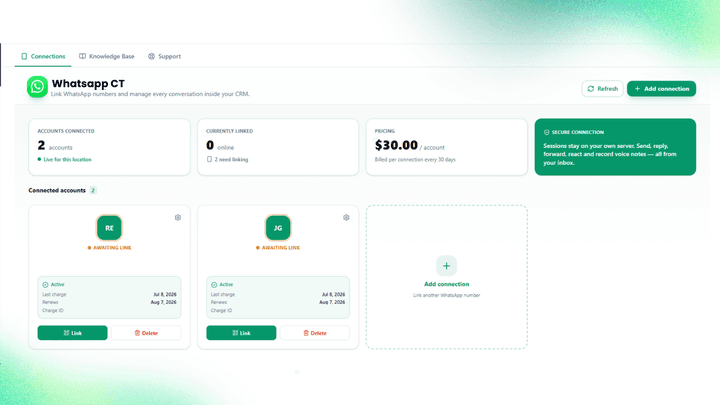
  2. Manage Multiple WhatsApp Connections in One Subaccount Add and run many WhatsApp numbers in a single subaccount. Perfect for teams that use more than one number.
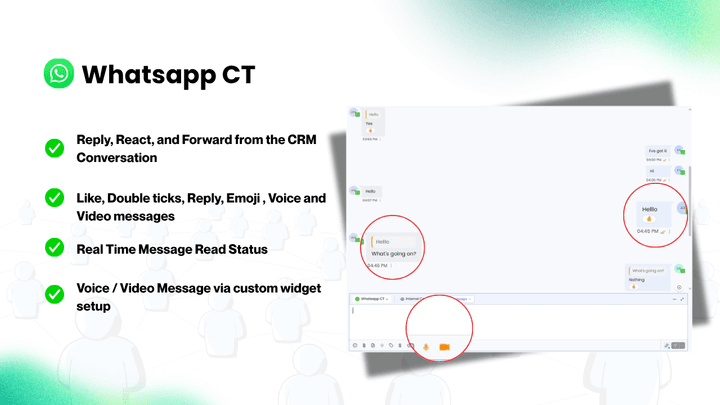
  3. Voice / Video Message via custom widget setup: Send the voice and video messae by the custom voice and video widget setup.
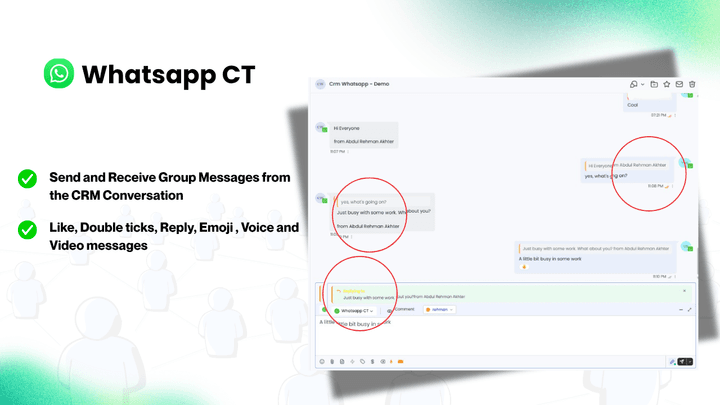
  4. Send and Receive Group Messages from the CRM Conversation Talk to your WhatsApp groups directly inside the CRM. Send and receive group messages in one clean view - something most integrations can't do.
  5. Reply, React, and Forward from the CRM Conversation Do everything you would do in the WhatsApp app. Reply to any message, add reactions, and forward messages to others.
  6. Switch WhatsApp accounts in one click Jump between your different WhatsApp numbers instantly, all from inside the conversation.
  7. Fully White Label Color Setup from the Agency Set your own brand colors at the agency level so the app looks like it belongs to you.
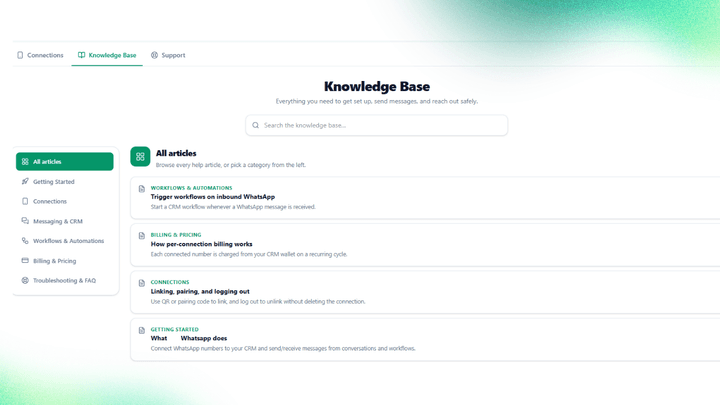
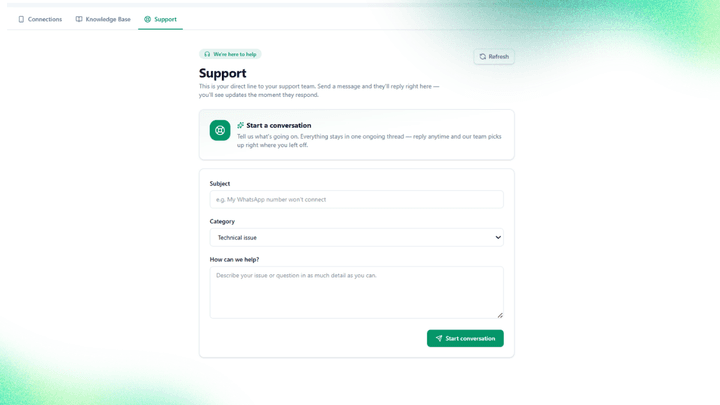
  8. In App Support and Knowledge Base Get help fast with built in support and a full knowledge base right inside the app.

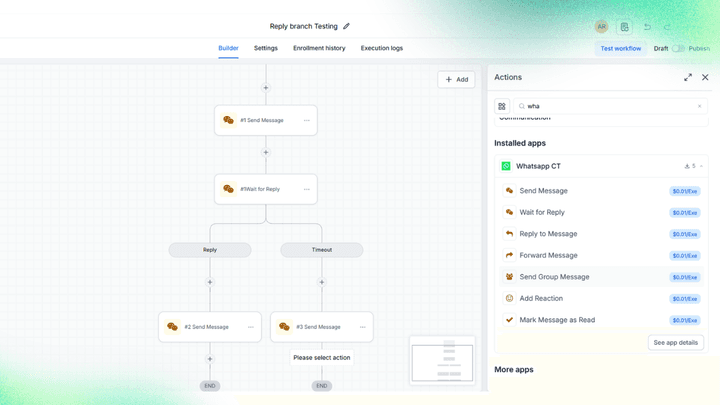
Actions: Use these actions to build your automations:

  • Send Message — Send a WhatsApp message to a contact.
  • Send Group Message — Send a message to a WhatsApp group.
  • Wait for Reply — Pause your workflow until the contact replies.
  • Reply To Message — Reply to a specific message.
  • Forward Message — Forward a message to another chat.
  • Mark Message As Read — Mark a message as read.

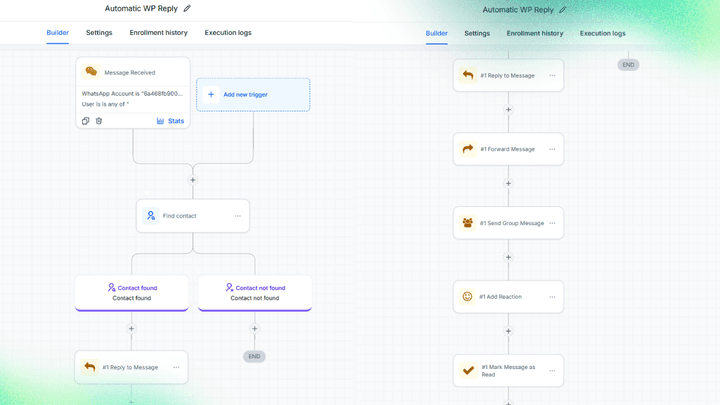
Triggers:

  • Message Received :Start your workflow the moment a new message comes in. This trigger comes with dynamic filters so you have full control. You can set filters for:A specific WhatsApp connectionA specific WhatsApp connection userA specific WhatsApp connection group

Why Choose WhatsApp CT:

Everything you need for WhatsApp lives in one place — with none of the usual friction. No Meta approval, no templates, no per-message fees. Manage numbers, chat with groups, automate replies, and keep your brand front and center. Easy to set up and easy to use, even if you're just getting started.

Key Features

  • Connect in seconds with a QR scan
  • Manage Multiple WhatsApp Connections in One Subaccount
  • Voice / Video Message via custom widget setup
  • Send and Receive Group Messages from the CRM Conversation
  • Reply, React, and Forward from the CRM Conversation
  • Switch WhatsApp accounts in one click
  • Fully White Label Color Setup from the Agency
  • In App Support and Knowledge Base

Frequently Asked Questions

Whatsapp CT is a GoHighLevel marketplace app by NexGenHighlevel. Manage multiple WhatsApp numbers, groups & chats — inside your CRM. No Meta approval, no fees.

Install Whatsapp CT directly from the GoHighLevel marketplace — click Install App on this page, approve the integration in your HighLevel account, and it's live in minutes.

No. Whatsapp CT works inside HighLevel out of the box — you configure everything from the familiar HighLevel interface, without writing any code.

Current pricing for Whatsapp CT is shown on its GoHighLevel marketplace listing.

Explore Our Other Apps

Linkedin CT — GoHighLevel marketplace app by NexGenHighlevel

Linkedin CT

Boost prospecting, enrich leads, automate outreach with CRM workflows, and manage all messages in one central conversations inbox.
  • Multiple LinkedIn Account Management
  • Automatic Lead Sync
  • Two-Way Messaging Sync
DetailsLinkedin CT GoHighLevel app
Claude AI (50+ Actions)  — GoHighLevel marketplace app by NexGenHighlevel

Claude AI (50+ Actions)

In Collaboration with Xylator AI

Empower Your Automation with Intelligent AI Insights

  • AI Google Apps Scripter & AI Data Organizer
  • AI Excel Formula Expert
  • AI Brand Builder & AI Product Name Generator
DetailsClaude AI (50+ Actions) GoHighLevel app
Groq AI (Workflows) — GoHighLevel marketplace app by NexGenHighlevel

Groq AI (Workflows)

In Collaboration with Xylator AI

Groq AI Workflows: The Ultimate Toolkit for Faster, Smarter Automation.

  • Classify incoming emails
  • Analyze visuals
  • Generate shareable image URLs
DetailsGroq AI (Workflows) GoHighLevel app

Ready To Do More With HighLevel?

Join the agencies using NexGenHighlevel to unlock what HighLevel can't do alone. Start free — no code, no commitment.